


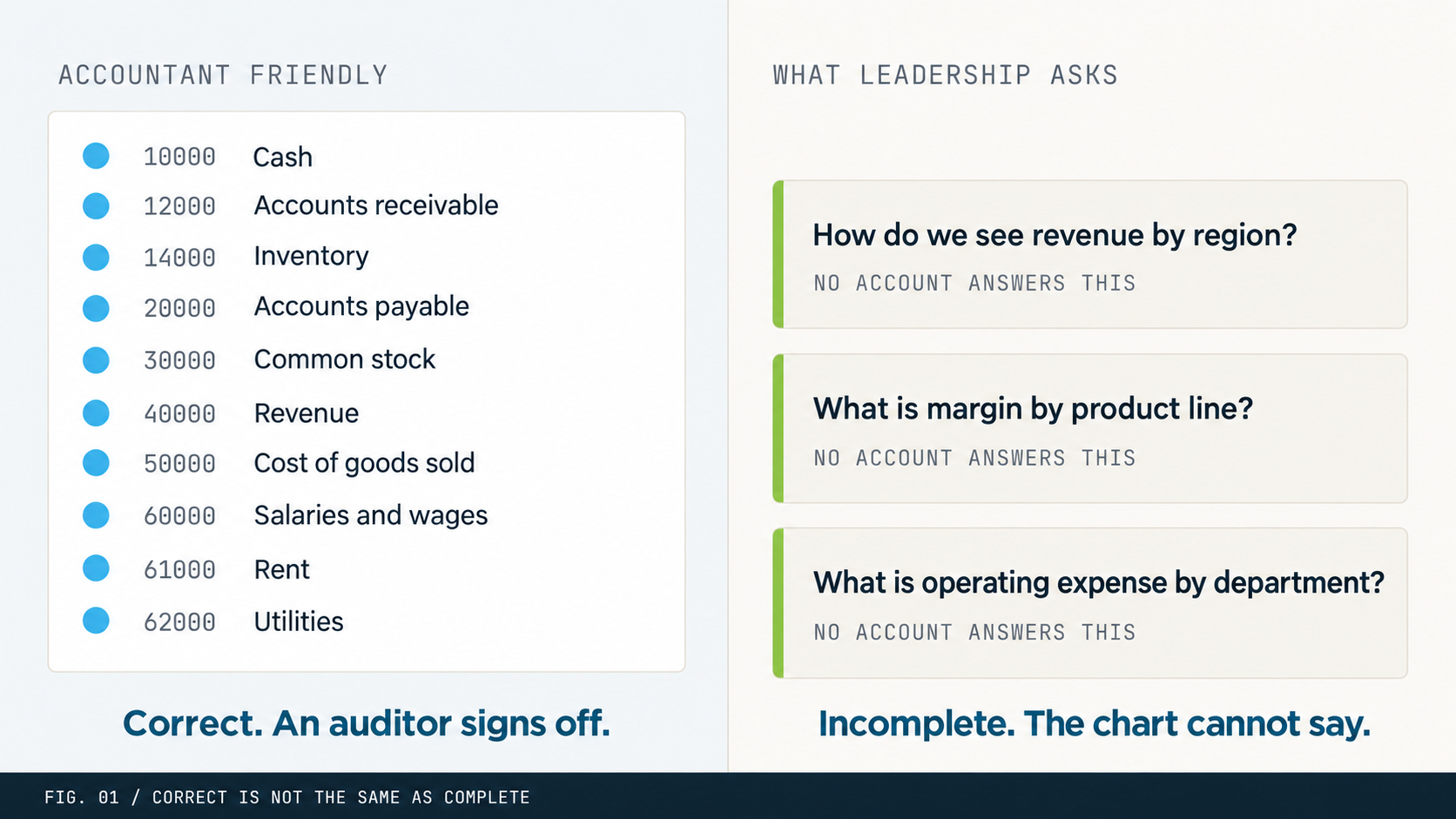
Two hours into the design review, the controller’s draft looks great. Clean groupings, logical numbering, everything an auditor would sign off on. Then the reporting lead asks one question: how do we see revenue by region? The room goes quiet. Because the honest answer is that the new chart looks a lot like the old one, built for the platform you are leaving.
That moment is the whole article. Accountant-friendly and report-friendly pull on the same thread in opposite directions. Knowing how to resolve that tension, specifically in Business Central, is what separates a chart that ages well from one that becomes an expensive maintenance problem.
Two words worth defining before you design
Accountant-friendly means a chart built around how the accounting team works. It mirrors the trial balance, follows standard statement categories, uses a familiar numbering convention, and makes posting, closing, and audit low-friction. There is nothing wrong with that. An accounting team that cannot move through the chart efficiently is a real problem.
Report-friendly means a chart built around the questions the business needs answered. Not just the statutory ones. The management questions, the operational questions, the ones a CFO fields in a board meeting and a department head asks at month-end. A report-friendly chart makes those answers available without a transformation step, a pivot table, or an Excel file from three years ago that everyone is now afraid to touch.
The goal is a chart that serves the accounting team and the reporting audience at once. In Business Central that balance is reachable, but only by intent, not by inheritance.
Business Central is not a traditional general ledger
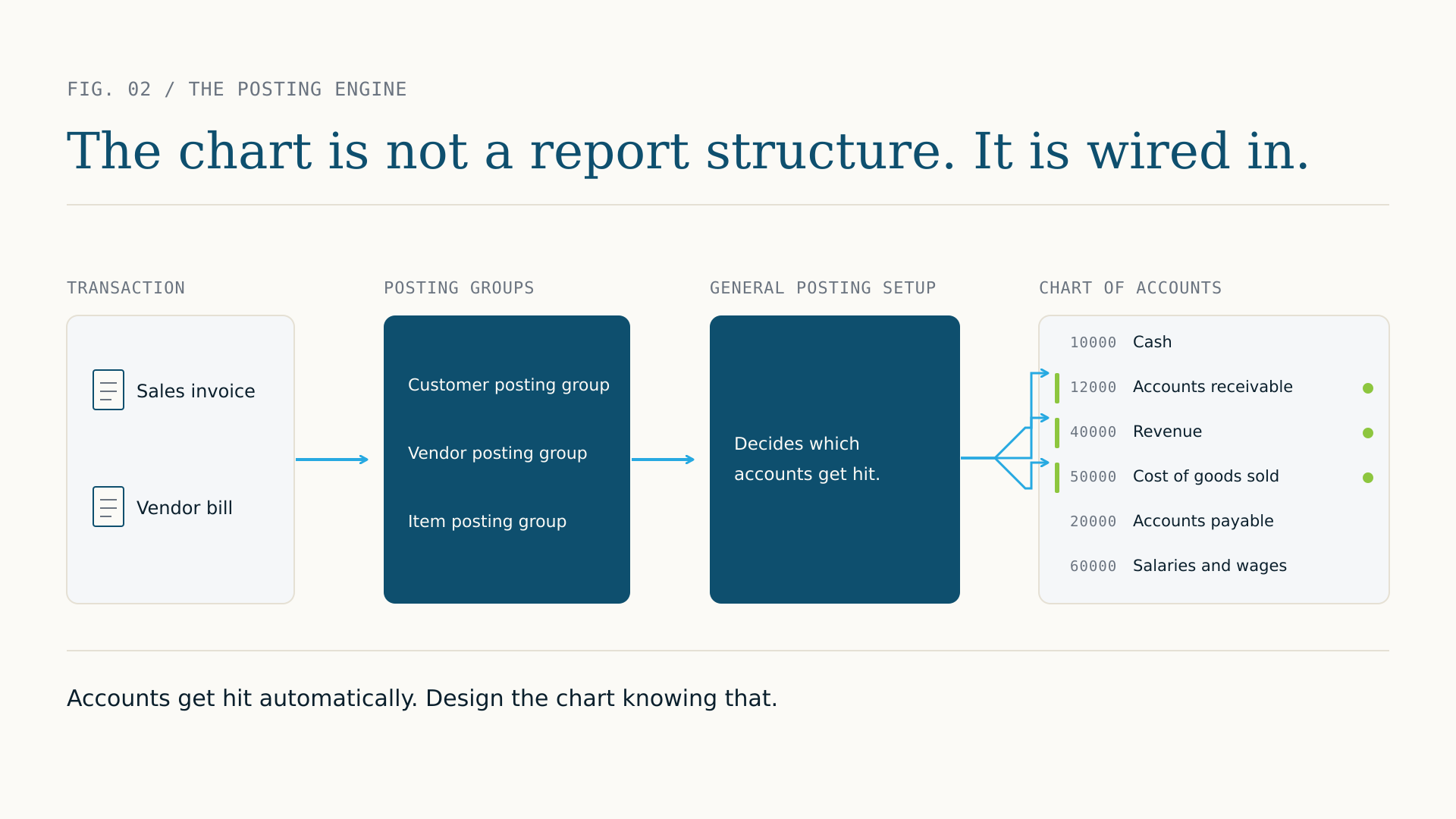
This is the point that catches teams off guard. Purchasing, sales, inventory, projects, manufacturing, and the general ledger are not separate systems talking through interfaces. They are one system, and posting behavior is wired to the chart through the General Posting Setup and the posting groups assigned to customers, vendors, and items.
So the chart is not only a reporting artifact. It is part of the posting engine. Accounts get hit automatically based on transaction type and posting groups. A chart carried over from QuickBooks, Sage, or an older Dynamics build was designed on different assumptions about what lives in the general ledger and what happens in a spreadsheet. Import it wholesale and you get accounts catching transactions you did not expect, rollups that do not add up, and reports that need manual correction every month. That is the reporting tax from Part 1, paid in a new currency.
The over-segmentation trap
Old systems forced a separate account for every distinction the business cared about, because they had no other tool. Revenue by product. Revenue by region. Revenue by channel. Revenue by customer type. All of it at the account level. Business Central has Dimensions, and Dimensions change the math entirely.
Move an over-segmented chart across unchanged and you keep every bit of the complexity while losing the flexibility Business Central offers. Hundreds of accounts where dozens would do, a harder setup, and reporting that is no easier than before. Part 3 goes deep on Dimensions. The rule to carry until then: before you finalize any account, ask whether a Dimension serves the same purpose more simply. It usually can.
What a Business Central specific design actually uses
This is not about a template. It is about a few principles that follow from how the platform works, and letting them guide the calls you make.
Account ranges give the chart its structure
Business Central uses number ranges to organize the chart and to drive behavior in parts of the system. Group assets, liabilities, equity, revenue, cost of goods sold, and operating expenses each into their own clearly defined range. This is not cosmetic. Ranges affect how Financial Reports are built, how totaling accounts work, and how quickly anyone can trace a number. A common mid-market pattern is a five or six digit structure, with leading digits for the category and trailing digits leaving room to grow without over-fragmenting. Consistency matters more than the exact convention.
Totaling accounts are underused and undervalued
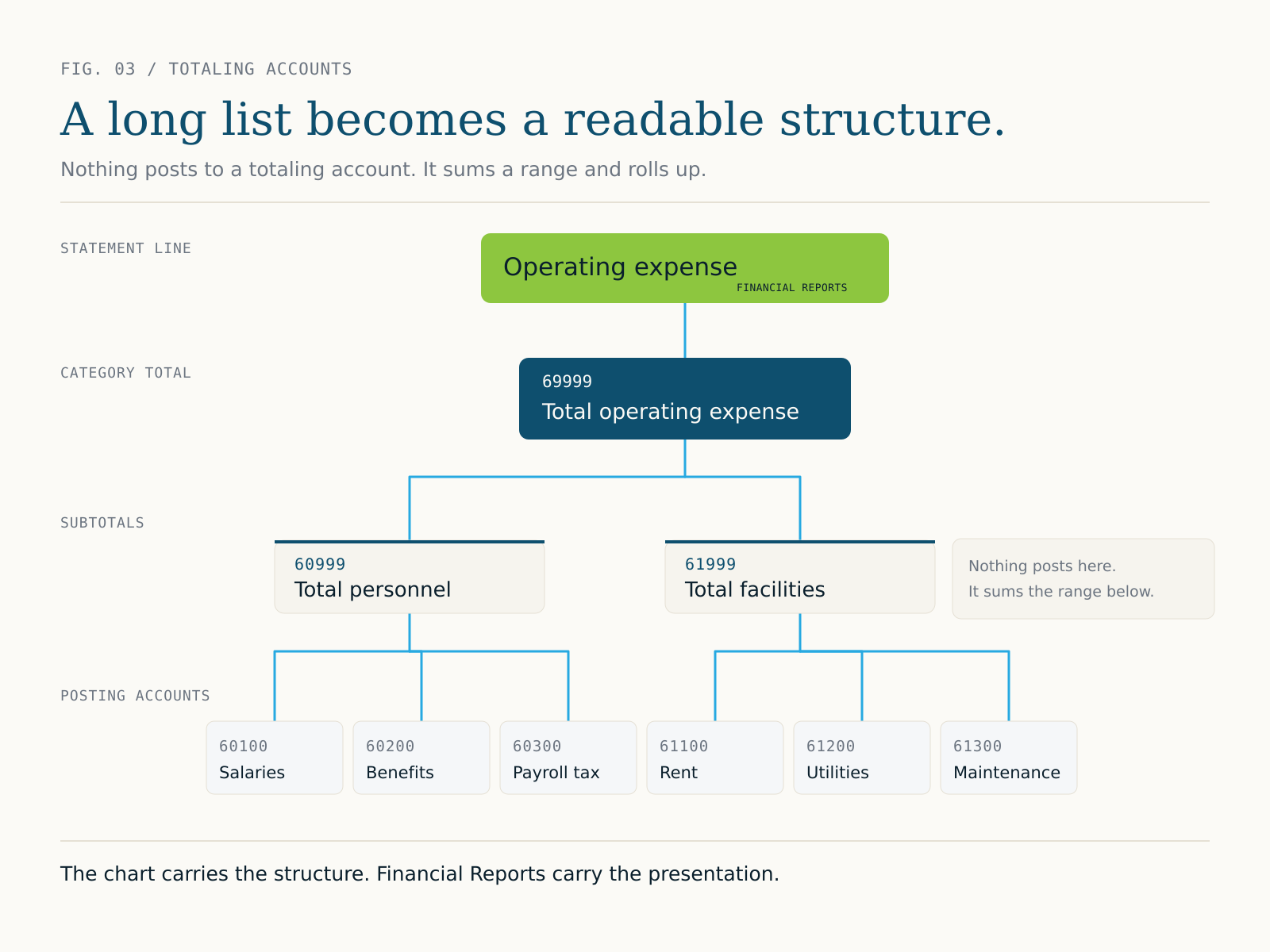
Totaling accounts sum a range of other accounts and appear as a rollup. Nothing posts to them directly. What they buy you is readability: a complex chart that a non-accountant can follow. Most legacy charts do not have them, because most legacy systems did not support them the same way. Use them to build natural reporting layers. Posting accounts roll up to subtotals, subtotals to category totals, category totals to the statement lines. With that hierarchy in place, building a profit and loss or a balance sheet in Financial Reports gets much simpler.
The Financial Reports layer is not a workaround
Business Central includes a Financial Reports feature, formerly called Account Schedules, that builds custom statement layouts on top of the chart. That is where the management profit and loss, the department views, and the board pack come from. Some teams pile complexity into the report layout to cover for gaps in the chart. It works, up to a point, and then it becomes its own maintenance burden while the report does work the chart should have done. The better model is simple: the chart carries the structure, Financial Reports carry the presentation. Keep those two in balance and reporting in Business Central is genuinely fast and flexible.
Start every design with one question
Before the first account number is assigned, the team should be able to answer this clearly: who will use these financial reports, and what decisions will they make with them?
Not what reports we produce today. Not what the audit requires. Those matter, but they sit downstream of the decisions the reports need to support. When the CFO needs gross margin by product line, that is a chart design question. When a plant manager needs operating expense at the cost center level, that is a chart design question. When operations needs actuals against budget by department, that is a chart design question. Leave those off the table during design and the answers get built into workarounds later.
Design the chart for the decisions the business needs to make. Everything else is implementation detail.
If you are reading this mid-migration
You may not have runway for a ground-up redesign with six weeks to go-live and a controller who has run the same chart for fifteen years. That is a real constraint, not a failure. Aim for a targeted cleanup instead. Remove accounts that serve no reporting purpose. Consolidate the obvious over-segmentation. Add the totaling structure that makes Financial Reports work. Flag the bigger decisions to revisit in phase two.
Perfect is not the goal at go-live. A chart that is better than what you started with, designed with reporting in mind rather than inherited by default, is a real achievement. It is also the foundation that makes the rest of this series possible.
Next: once the structure is set, the most consequential decision left is what belongs in the chart and what belongs in a Dimension. That is where most of the reporting flexibility in Business Central lives, and where most of the mistakes happen. Part 3 covers it.